iOS app · CalolensApple Health two-way
The AI calorie
counter app foriPhone.
What the web does, plus the things only a native iPhone does well. Apple Health two-way sync. Voice logging. Lock-screen widgets. Camera-first launch. The web tier stays free. The iOS app adds the parts that live on your phone.
- Free to download. Optional paid upgrade.
- Two-way Apple Health (steps, workouts, nutrition)
- Voice logging that works one-handed
- AI coach with memory
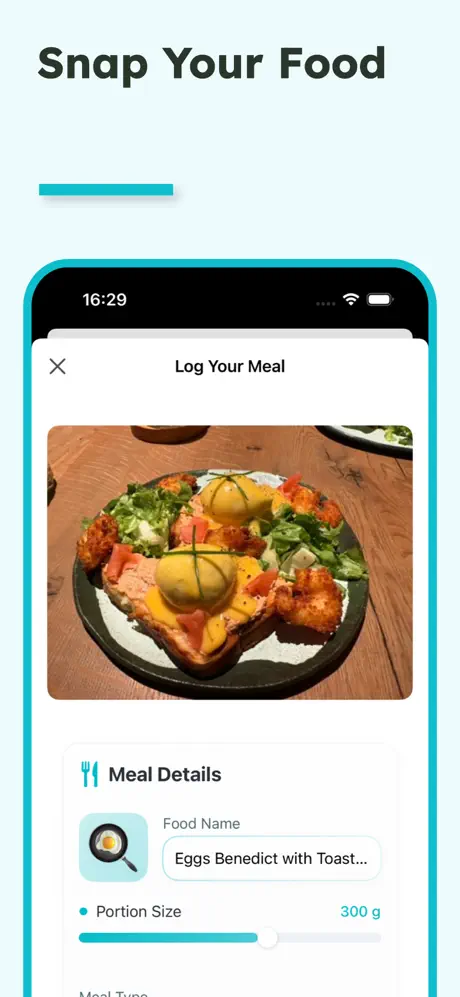
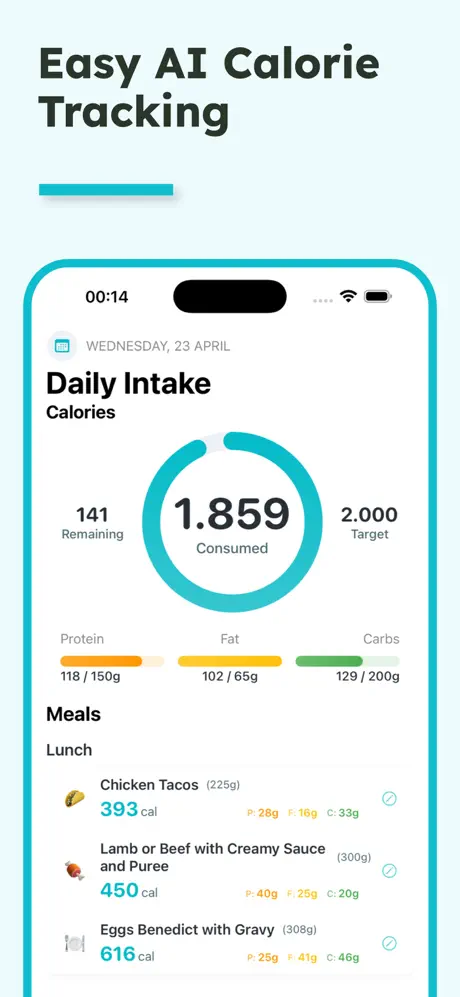
What the iOS app adds
Six things only iPhone does well.
Apple Health, two-way
Steps and workouts feed your daily ring. Nutrition writes back to Health.
Lock-screen widgets
Today's ring on your lock screen. No app open.
Voice in your pocket
Hold the mic, talk, done. Works one-handed in the kitchen.
Coach with memory
Remembers your week, not just your meal.
Camera-first launch
Open the app, tap once, photo opens. No menu hunting.
Offline log capture
Photos save locally and sync when you are back online.
The AI calorie counter itself is the same model on web and iOS. The accuracy doesn't change.
When iOS is worth it
If you log on the go: yes. The kitchen-to-phone flow is faster than any web app on a laptop.
When web is enough
If you log at a desk: the web is enough. Same AI calorie counter, same accuracy, no install.
Most people end up using both. Web at the desk, iOS at the table.
iOS app · FAQ
Questions, answered.
Yes, the app is free to download. The paid upgrade unlocks coaching and deeper analytics. Core photo and text calorie estimation is included at no cost.
Related
Keep reading.
Calolens, the iOS app
The AI calorie counter app for iPhone. Snap a meal, get calories.
The free AI calorie counter
No signup, no card. 3 free tries, then a free account makes it unlimited.
How the AI calorie counter works
The 3-stage pipeline: detect, estimate portion, look up nutrition.
Photo calorie counter
Snap a photo, get calories in 2 seconds. How the photo flow works.
Best AI calorie tracker · 2026
Top 5 ranked with star scores. Updated quarterly.
Get the iOS app.
Free to download.
The web stays free. The iOS app adds Apple Health, voice, and the coach.